
Most HR systems give you one fixed approval path. In Tuling HRMS, HR designs it. Build approval chains for each kind of request, choose how each approver is found, add conditions, and set reminders and escalation.
Custom approval workflows
Chains per request type
Set the steps for leave, expense claims, personnel actions, performance reviews and headcount requests.
Four ways to find the approver
Pick a role, the employee's reporting manager, a named person, or a group of approvers.
Conditions on steps
Add a step only when it matters, for example by amount or number of days, using equals, greater than, less than, in or not in.
Case lifecycles
Draw the states a case moves through, such as a POSH case, and the transitions between them.
Reminders and escalation
Remind idle approvers and escalate overdue requests to a skip-level manager or HR, set for each request type.
Ready-made starting points
Start from a workflow we provide for common request types, then edit it to fit.
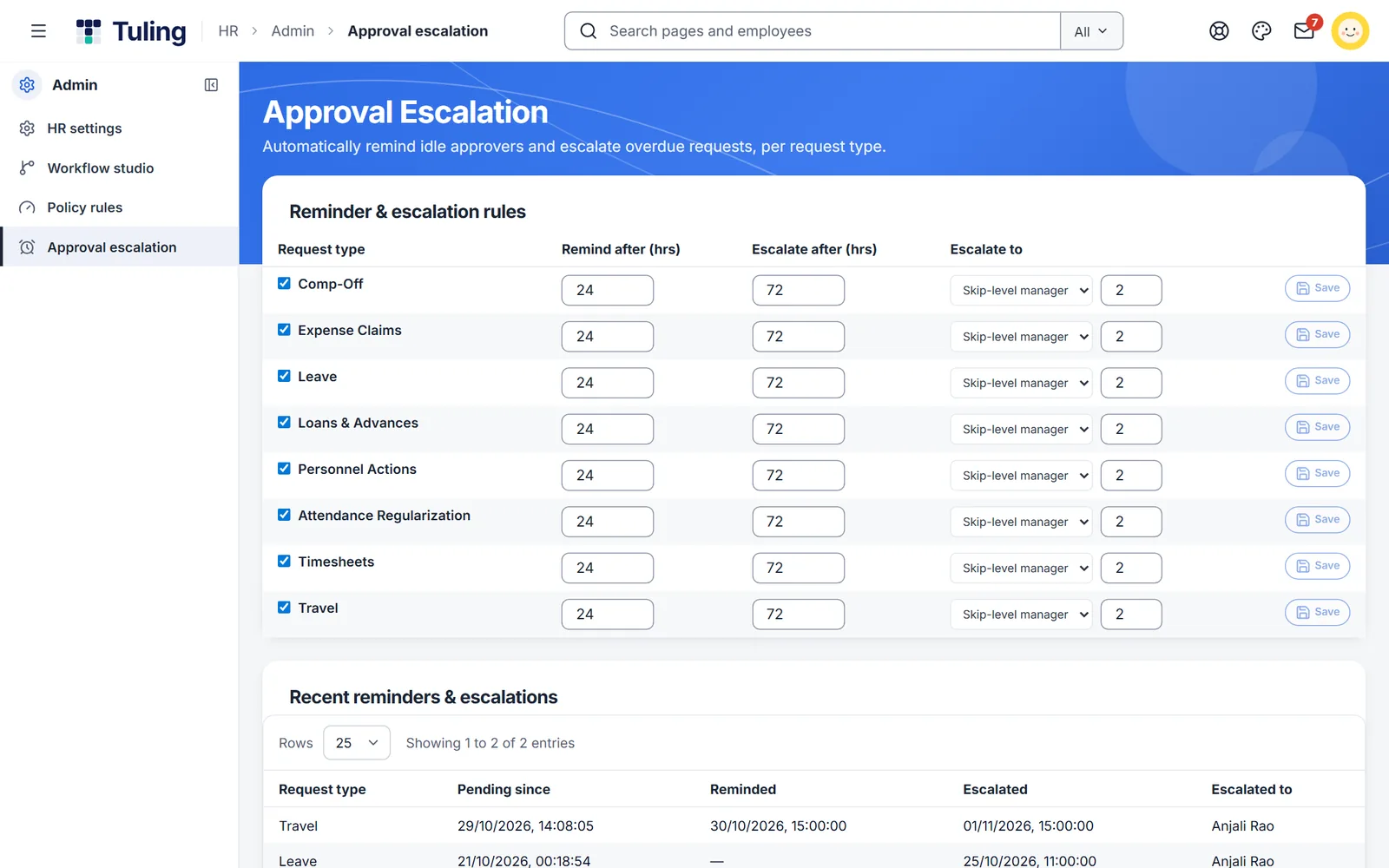
Reminders and escalation, per request type
Choose when an idle approver is reminded and when an overdue request moves up, and to whom. Every reminder and escalation is listed below, so HR can see what happened.
- Remind after a number of hours you set
- Escalate to the skip-level manager or HR
- A log of recent reminders and escalations
Three steps
Pick a request type
Choose leave, expense claims, personnel actions or another type.
Add steps and conditions
Add approvers in order. Add a condition when a step should apply only sometimes.
Set reminders and escalation
Decide how long a request can wait before someone is nudged or the request moves up.
More to build
No-code leave policy designer
Design every leave type and rule yourself: accrual, carry forward, eligibility, blackout dates and more.
Learn more →Policy rules engine
Write your business rules as conditions, test them, and let the system apply them.
Learn more →Leave management
Policies, balances and approvals that people can follow.
Learn more →About custom approval workflows
Do I need a developer to change a workflow?
No. HR changes workflows in the workflow studio, and the change applies to new requests.
Can approvers differ by department?
A role-based step can be narrowed to a department, and a step can also use the employee's reporting manager, a named person or a group.
What happens if an approver does not respond?
The approver is reminded after the time you set, and the request can escalate to a skip-level manager or HR after a longer time.
Which requests can have their own workflow?
Leave, expense claims, personnel actions, performance reviews and headcount requests have ready-made workflows you can edit, and more request types can be configured.
See it built live
Book a walkthrough and we will set one up with you, using your own rules.