
Payroll and compliance
PF, ESI, professional tax and TDS, with a dry run before anyone is paid.
Payroll and compliance
Run payroll with the statutory heads built in, check the numbers first, and keep every change on record.
Dry run first
See net pay, PF, ESI, professional tax and TDS for everyone before you finalise.
PF, ESI, PT and TDS
Statutory rates are kept current, with a history of every change and the reason for it.
Payslips on the phone
Employees read their payslips on the mobile app.
Pay that follows attendance
Loss of pay is calculated from the attendance record, including half-days.
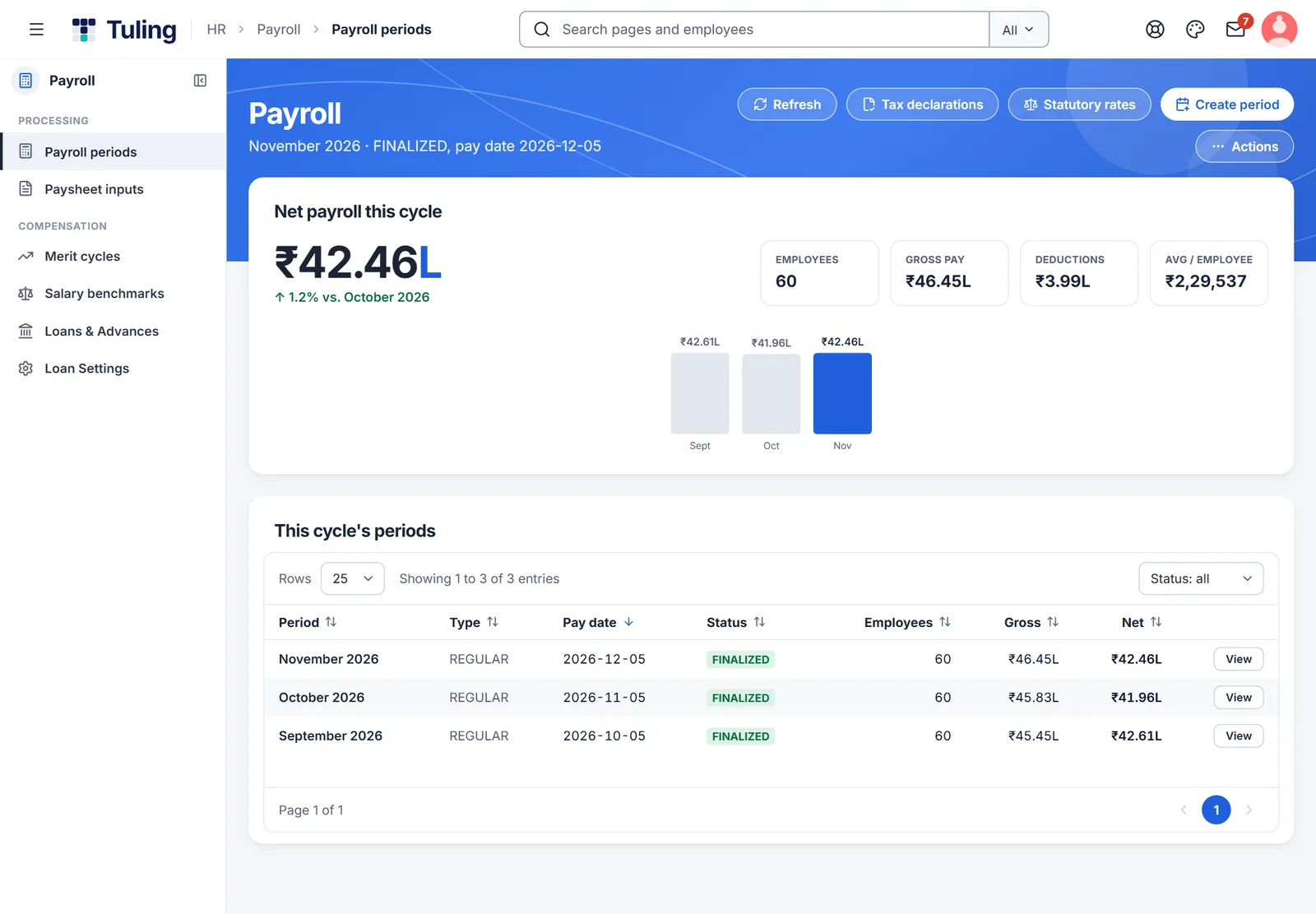
Payroll periods: net payroll for the cycle at a glance
Net payroll for the cycle, with gross pay and deductions, and the periods listed below.
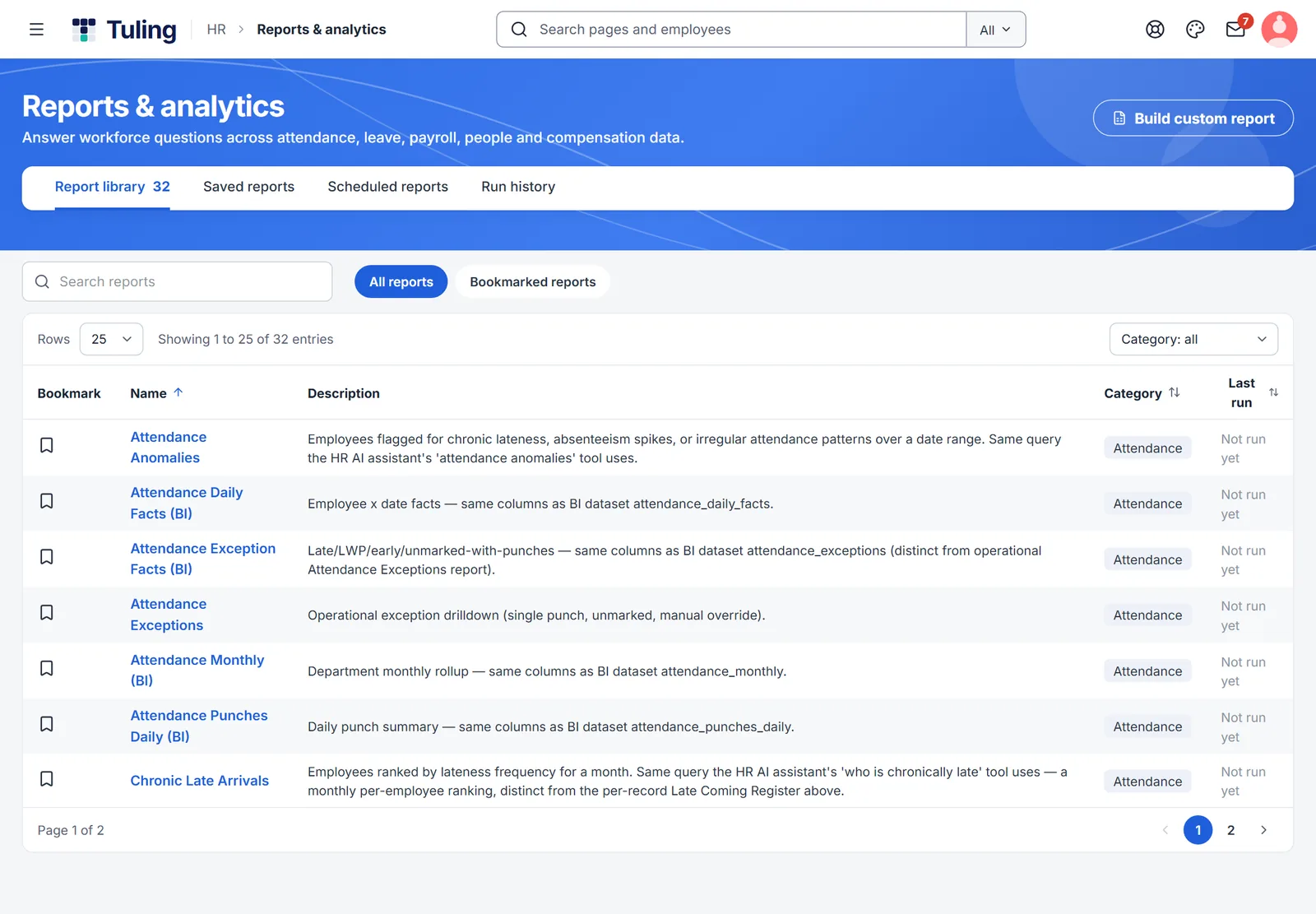
Ready-made reports, plus your own
Ready-made reports across people, pay and attendance, ready to export.
And more
Loans and advances
Record loans and advances and recover them through payroll.
Full audit trail
Every change to a payroll period is recorded, so you can show how a number was reached.
Three steps
Set salary and statutory details
Starter packs set up a salary structure and PF, ESI, PT and TDS settings.
Run a dry run
Check every employee's numbers before anything is final.
Finalise
Payslips reach the phones, and the record shows who did what.
Works with
Attendance and shifts
Record attendance from the phone or the web, manage shifts and week-offs, and decide where field teams can mark attendance.
Learn more →Leave management
Set leave types and policies, show balances, and let people plan with holidays and week-offs in view.
Learn more →Reports and analytics
Answer workforce questions across attendance, leave, payroll, people and compensation without exporting to a spreadsheet first.
Learn more →About payroll and compliance
What is a dry run?
A full payroll calculation that shows net pay and each deduction for every employee, before you finalise, so you can check it first.
Do statutory rates stay current?
Rates are maintained with a history of every change and the reason for it. Rates and duties are set by law and change over time, so check with your adviser.
Can I see how a number was calculated?
Yes. Changes are recorded, and the audit trail shows who changed what and when.
See Tuling HRMS with your own team
Ask for a walkthrough, a free trial, or a payroll dry run on your own last month's data. We reply within one working day.