
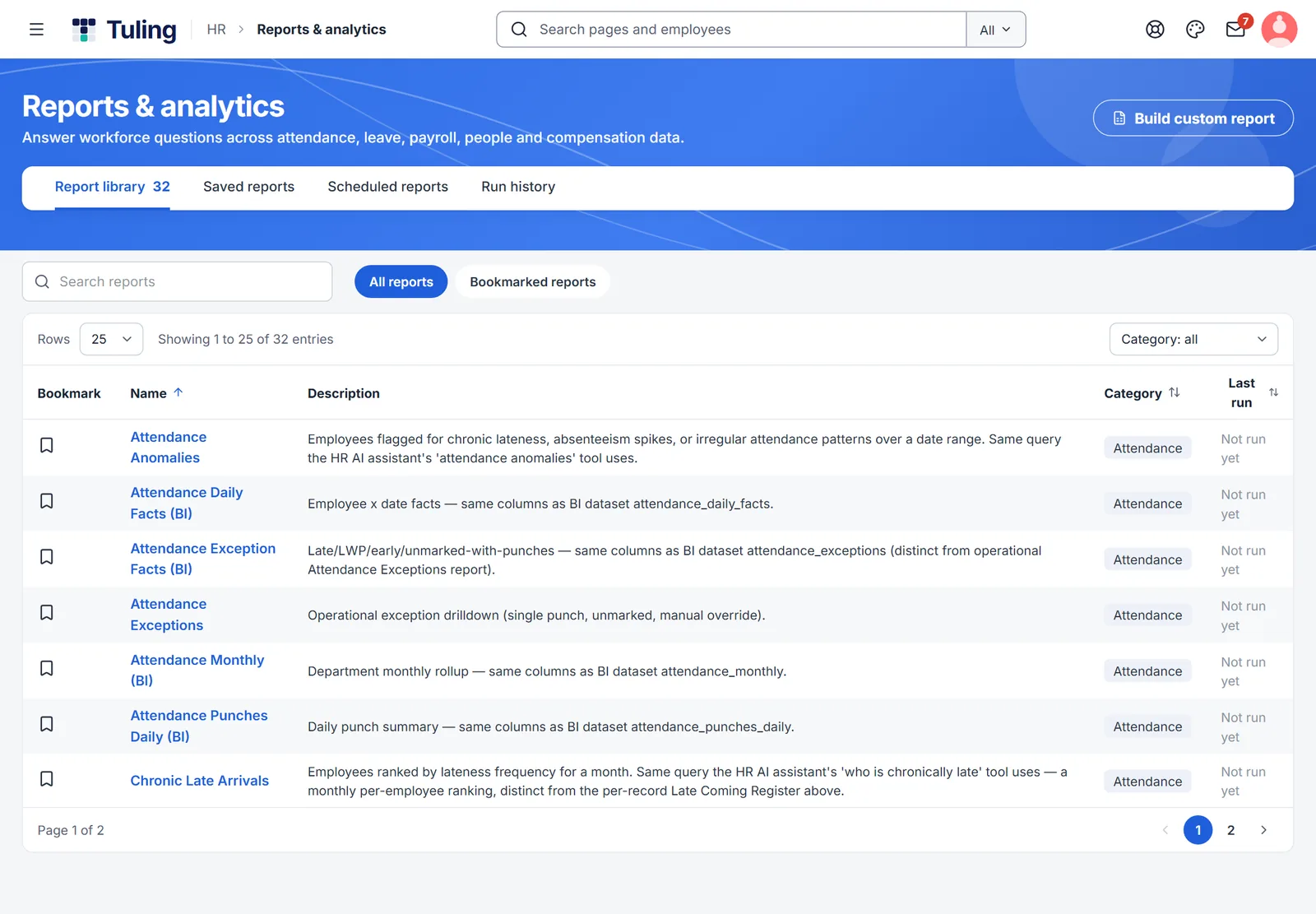
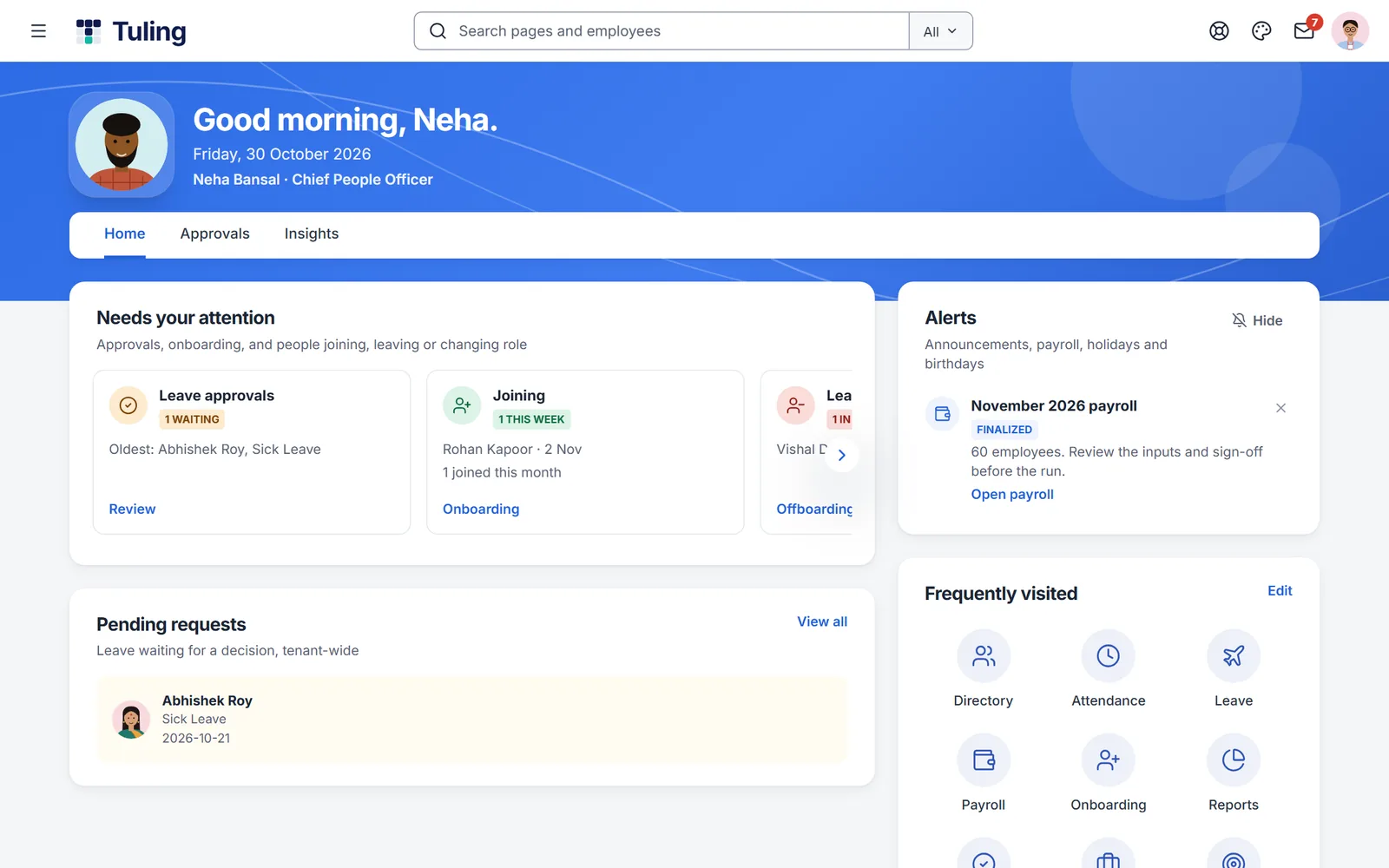
Sample charts. The centre screen is from a demo company.
Reports and analytics
Answer workforce questions across attendance, leave, payroll, people and compensation without exporting to a spreadsheet first.
32 ready-made reports
A report library across attendance, leave, payroll, people and compensation.
Build your own
Create a custom report when the ready-made ones are not enough.
Saved and scheduled
Save the reports you use and schedule them to run.
HR command centre
Attendance status, pending approvals, headcount by department and a payroll snapshot, first thing in the morning.
The report library
Ready-made reports across people, pay and attendance, ready to export.
HR command centre
Approvals, joiners and alerts the moment HR signs in.
And more
Performance analytics
Review progress by stage and department, and where reviews are late.
Role-based visibility
People only see the reports and data their role allows.
Three steps
Pick a report
Start from the library of ready-made reports.
Make it yours
Filter, save and schedule it, or build a custom report.
Share what matters
Each person sees what their role allows.
Works with
Payroll and compliance
Run payroll with the statutory heads built in, check the numbers first, and keep every change on record.
Learn more →Performance and growth
Set goals, run review cycles, hold one-on-ones, and see where people are growing, in one place.
Learn more →POSH and data protection
Track POSH committees, keep policy acknowledgements, and give employees and HR the data protection tools the DPDP Act, 2023 asks of you.
Learn more →About reports and analytics
How many ready-made reports are there?
The report library has 32 ready-made reports, and you can build your own.
Can I schedule reports?
Yes. Reports can be saved and scheduled.
Can managers see reports about their team only?
Yes. Access follows the person's role.
See Tuling HRMS with your own team
Ask for a walkthrough, a free trial, or a payroll dry run on your own last month's data. We reply within one working day.