
Answer your own questions without exporting to a spreadsheet first. Run ready-made reports across attendance, leave, payroll, people and compensation, or build a custom one, save it, bookmark it and schedule it.
Custom report builder
32 ready-made reports
Across attendance, compensation, cross-module, leave, payroll, performance and goals, and personnel.
Build a custom report
Create a report for the question you have, from the data in the system.
Saved reports
Keep the reports you use often and run them again.
Scheduled reports
Have a report run on a schedule.
Run history
See what was run, and when.
Bookmarks and filters
Bookmark favourites, and filter the library by category.
The report library
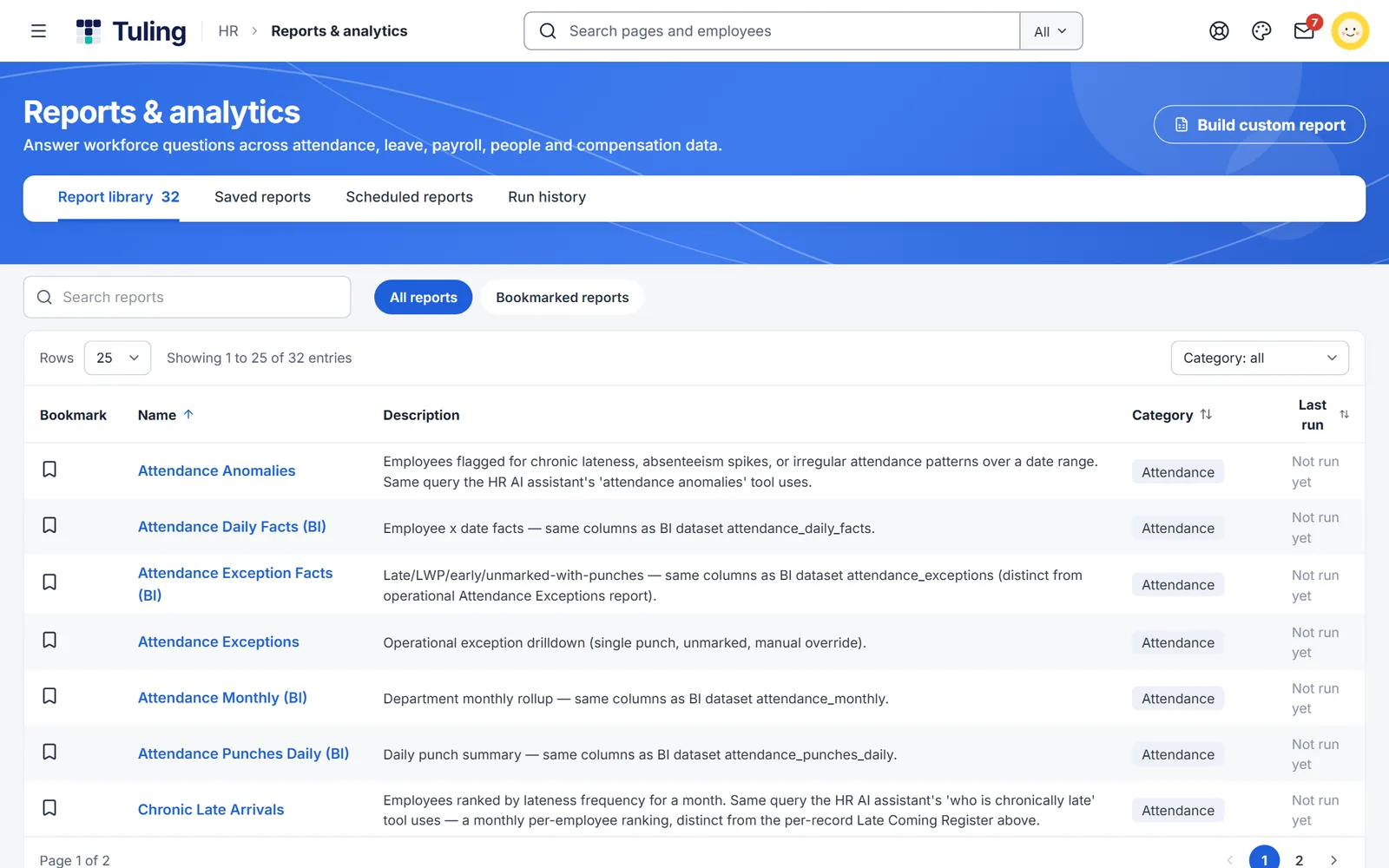
Browse the library by category, search by name, bookmark what you use, and open saved reports, scheduled reports and run history from the same page.
- 32 reports in 7 categories
- Build custom report button on the page
- Tabs for saved reports, scheduled reports and run history
Three steps
Pick a report
Open one from the library, or start a custom report.
Save it
Keep it for next time, and bookmark it.
Schedule it
Have it run on a schedule so it is ready when you need it.
More to build
Salary structure designer
Build pay components and salary templates once, and every payslip follows them.
Learn more →Custom approval workflows
Design who approves what, and in what order, without a developer or a vendor ticket.
Learn more →Reports and analytics
Ready-made reports, plus your own.
Learn more →About custom report builder
How many reports come ready-made?
The library has 32 ready-made reports.
Can I build my own?
Yes. Use Build custom report on the Reports page.
Can reports run on a schedule?
Yes. Scheduled reports are listed on the same page, with a run history.
Who can see reports?
Access follows role. HR sees what HR needs, and managers see their teams.
See it built live
Book a walkthrough and we will set one up with you, using your own rules.